Download TWRP Recovery for Oppo Find X8 Ultra (Oppo Find X8 Ultra)
Below you will find the official & unofficial TWRP Recovery for the Oppo Find X8 Ultra. You can use this to install TWRP on your device.
How to Install TWRP Recovery on Your Oppo Find X8 Ultra
Disclaimer:
- flash at own risk
- rooting May void your device warranty
- Make a backup & move it to safe Place Like Pen drive or PC
How to Install twrp Recovery
- on Phone enable developer options, for that Go to Setting>About phone>tap 5-6 times on software version/ build number> Now Go back /additional settings/ developer options & USB debugging > Turn ON, OEM unlocking > Turn ON
- Download & Install latest adb fastboot driver on your computer
- Download & setup platform tools on your computer
- Extract downloaded recovery.img & vbmeta.img in platform tool folder
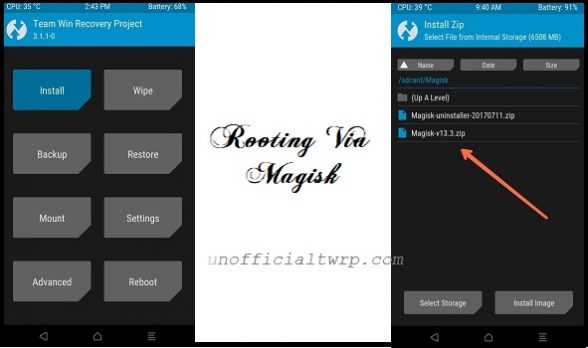
- Download & Move Magisk.zip to device storage
- switch off Phone, press power & volume down key, once you see fastboot logo connect it to computer by using the usb cable
- Open command window in the Platform tool folder
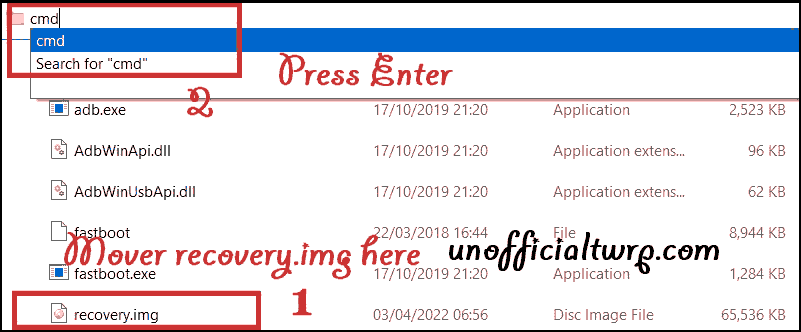
- Send twrp by using below code
fastboot --disable-verity --disable-verification flash vbmeta vbmeta.img
fastboot flash \'partition\' twrp.img
fastboot reboot recovery
partition = check download section, it may be boot, recovery or vendor_boot
How to Root using Magisk
use Magisk canary/debug or ksu anykernel.zip- Reboot Phone to twrp recovery by Pressing volume up and Power key
- Make a Nandroid backup
- wipe userdata
- Flash Magisk.zip
- Reboot system Now..