
Download Stock ROM for Tecno Droipad 7D Pro LTE P702 (Tecno Droipad 7D Pro LTE P702)
Below you will find the official & unofficial Stock Firmware for the Tecno Droipad 7D Pro LTE P702. You can use this ROM to flash your device using compatible tools.
Stock Firmware for Tecno Droipad 7D Pro LTE P702
- Firmware Version: Tecno_Droipad_7D_Pro_LTE_P702_MT6737M_V21_170526
- ROM Type: Service ROM
How to Install Stock ROM on Your Tecno Droipad 7D Pro LTE P702
follow the Instructions below to Install Stock Firmware on your transsion device.- Download and unzip Transsion Flash Tool
- Download & Install all In One usb driver from this page
- Open Transsion Flash Tool
- Click the Settings icon, browse and select the ROM you downloaded
- new version support Qualcomm, unisoc and Mediatek devices so no need to select platform manually
- Click Green \'Start\' button
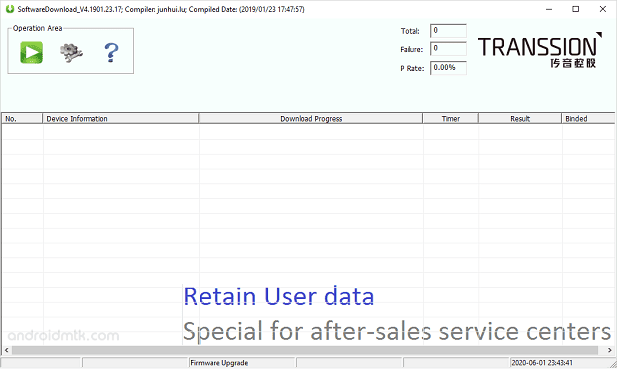
- Switch off your device, keep pressing volume up + down button at same time and connect the usb cable
- Wait until the process complete
- once done, reboot your device..