
Download Stock ROM for INFINIX NOTE 12 X663D (X663)
Below you will find the official & unofficial Stock Firmware for the INFINIX NOTE 12 X663D. You can use this ROM to flash your device using compatible tools.
Stock Firmware for X663
- Firmware Version: X663D-H6915J-R-RU-220823V388
- ROM Type: Service ROM
Stock Firmware for X663
- Firmware Version: X663D_MT6768_V235_220420
- ROM Type: Service ROM
Stock Firmware for X663
- Firmware Version: X663C-H6915MN-S-AS-220905V207
- ROM Type: Service ROM
Stock Firmware for X663
- Firmware Version: X663C_MT6768_V149_220416
- ROM Type: Service ROM
Stock Firmware for X663
- Firmware Version: X663B-H6915D-R-OP-220107V591_MobileGuru4.com
- ROM Type: Service ROM
Stock Firmware for X663
- Firmware Version: X663B_MT6768_V423_211102
- ROM Type: Service ROM
Stock Firmware for X663
- Firmware Version: X663-H6915ABCEFGHIO-S-GL-220905V232
- ROM Type: Service ROM
Stock Firmware for X663
- Firmware Version: X663_MT6768_V402_230113
- ROM Type: Service ROM
Stock Firmware for X663
- Firmware Version: X663_MT6768_V232_220905
- ROM Type: Service ROM
How to Install Stock ROM on Your INFINIX NOTE 12 X663D
follow the Instructions below to Install Stock Firmware on your transsion device.- Download and unzip Transsion Flash Tool
- Download & Install all In One usb driver from this page
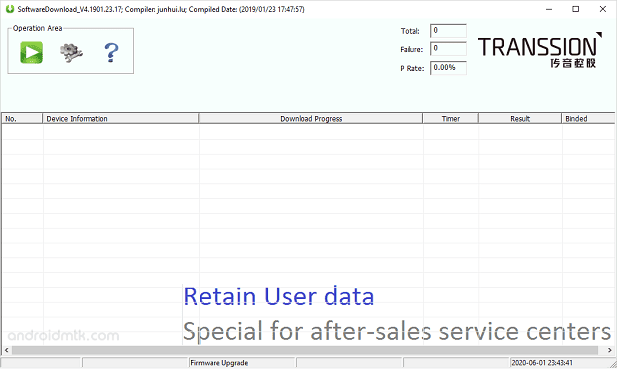
- Open Transsion Flash Tool
- Click the Settings icon, browse and select the ROM you downloaded
- new version support Qualcomm, unisoc and Mediatek devices so no need to select platform manually
- Click Green \'Start\' button
- Switch off your device, keep pressing volume up + down button at same time and connect the usb cable
- Wait until the process complete
- once done, reboot your device..